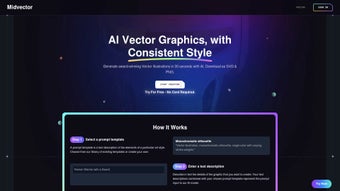

Download MidVector – AI‑Powered Text to Vector Image Converter
Overview
MidVector is a cutting‑edge, web‑based AI application that transforms plain text into high‑quality, resolution‑independent vector graphics in a matter of seconds. By leveraging sophisticated natural‑language processing and deep‑learning models, the platform understands the semantic context of your input and automatically creates SVG, EPS, or PDF files that visually communicate the same message. This makes MidVector an ideal companion for market researchers who need to turn survey results into infographics, digital marketers crafting eye‑catching banner ads, educators designing engaging slide decks, or small business owners looking to produce professional‑grade visuals without hiring a designer.
Because the entire engine runs in the browser, there is no heavy software to install, no compatibility worries across Windows, macOS, Linux, iOS, or Android, and no performance bottlenecks on older hardware. All data transmission is protected by TLS 1.3 encryption, and the service automatically purges user inputs from its servers within 30 minutes, ensuring corporate‑level privacy. Frequent updates add new visual vocabularies, style presets, and language support, keeping MidVector at the forefront of the text‑to‑vector niche.
Whether you need a single icon for a presentation or a batch of 1,000 diagrams for a quarterly report, MidVector delivers speed, security, and scalability, making it a must‑have tool for anyone who wants to visualize complex information quickly and reliably.
Key Features of MidVector
MidVector’s feature set is designed to cover every stage of the vector‑creation workflow, from initial concept to final export. The AI‑driven engine reads your text, selects appropriate visual elements, and offers a live preview that you can fine‑tune in real time. Whether you are a novice or an experienced designer, the intuitive interface and extensive style library make the creation process effortless. Below is a detailed look at what you can expect when you start using MidVector.
- AI‑Driven Text Interpretation: Natural‑language processing extracts context, tone, and key concepts to inform the visual output.
- Scalable Vector Output: Generates SVG, EPS, and PDF files that retain crisp quality at any size.
- Browser‑Only Interface: No downloads or installations required; works on Chrome, Edge, Firefox, and Safari.
- Style Library: Choose from over 50 pre‑designed themes (minimalist, corporate, educational, artistic) and tweak colors, line weights, and typography.
- Batch Processing: Upload a CSV of texts and receive a zip file of corresponding vectors, ideal for large‑scale projects.
- Secure Cloud Processing: All data is encrypted in transit and cleared from servers after each session.
- API Access: Developers can integrate MidVector into their own apps via RESTful endpoints, enabling automated graphic generation.
- Live Preview & Editing: Real‑time rendering lets you fine‑tune the layout before final download.
- Multi‑Language Support: Handles English, Spanish, French, German, Mandarin, and many more languages.
- Regular Updates: Monthly AI model improvements add new visual vocabularies and enhance accuracy.
Together, these capabilities turn a simple text entry into a polished vector illustration ready for print or digital distribution. The combination of AI intelligence, extensive customization, and seamless cloud processing positions MidVector as a leader in the emerging AI‑graphic market.
Installation, Usage & Compatibility
Because MidVector is entirely web‑based, there is virtually no installation required. The platform runs on any modern operating system that supports a recent web browser—Windows 10/11, macOS Ventura and later, popular Linux distributions, as well as mobile browsers on iOS Safari and Android Chrome. All that is needed is a stable internet connection and a browser that supports HTML5 and TLS 1.3.
Getting started is straightforward:
- Open the Site: Navigate to midvector.com using your preferred browser. The page loads over a secure HTTPS connection.
- Sign Up (Optional): You can generate vectors as a guest, but creating a free account unlocks project history, saved templates, and additional batch‑processing credits.
- Input Your Text: Type or paste the content you wish to visualize into the main text box. For bulk jobs, upload a plain‑text file or a CSV containing multiple entries.
- Select a Style: Browse the style library on the right‑hand side. Hover over thumbnails for a quick preview, then click “Apply” to lock in the theme.
- Adjust Parameters: Use sliders to modify line thickness, color palette, and layout density. The live preview updates instantly, allowing you to experiment without waiting for a full render.
- Generate the Vector: Press “Create Vector.” The AI processes the request on secure cloud servers and typically returns a result within 5‑10 seconds for standard text lengths.
- Download & Export: Choose SVG, EPS, or PDF format and click “Download.” For batch operations, a zip archive containing all vectors will be provided.
- API Integration (Advanced Users): Obtain an API key from your dashboard and follow the RESTful documentation to automate vector generation within your own applications.
- Troubleshooting Tips: If rendering takes longer than expected, check your internet speed, clear browser cache, or try a different browser. For unusually complex texts, consider breaking the content into smaller chunks for better AI interpretation.
The workflow is deliberately designed for speed, simplicity, and cross‑platform reliability. Whether you are working on a desktop workstation or a mobile tablet, MidVector delivers consistent performance, making it a versatile tool for individuals and teams alike.
Pros & Cons, FAQ & Conclusion
Pros
- Zero‑installation: works entirely in the browser.
- High‑quality, scalable vector output suitable for print and digital.
- Intuitive UI that requires no design expertise.
- Robust style library and customizable parameters.
- Secure processing with automatic data deletion.
- Batch processing and API access for enterprise workflows.
- Regular AI model updates keep the visual vocabulary fresh.
- Multi‑language support expands global usability.
Cons
- Reliance on an internet connection; offline use is not possible.
- Free tier imposes limits on daily renders and batch size.
- Complex, highly technical texts may require manual tweaking of the output.
- Advanced styling beyond the provided templates may need external vector editors.
Frequently Asked Questions
Is MidVector really free to use?
MidVector offers a free tier that allows up to 10 vector generations per day and limited batch processing. For higher volume needs, paid plans start at $9.99/month, providing unlimited renders, priority processing, and API access.
Can I export the vectors to other design software?
Yes. MidVector exports SVG, EPS, and PDF files, which can be opened and edited in Adobe Illustrator, Inkscape, CorelDRAW, and most other vector‑editing programs.
How does MidVector handle data privacy?
All communications are encrypted with TLS 1.3. Text inputs are processed in memory and automatically deleted from the server within 30 minutes after rendering, ensuring that no personal or proprietary data is retained.
Is there a mobile app for MidVector?
MidVector does not have a native mobile app, but its responsive web interface works flawlessly on iOS Safari and Android Chrome, giving you full functionality on smartphones and tablets.
Can I integrate MidVector into my own workflow?
Absolutely. MidVector provides a RESTful API with detailed documentation, allowing developers to programmatically send text and receive vector files, perfect for automated report generation or content management systems.
Conclusion
MidVector stands out as a powerful, user‑friendly solution for anyone who needs to convert textual information into crisp, scalable vector graphics without the steep learning curve of traditional design tools. Its AI‑driven approach ensures that the generated images stay true to the meaning of the source text, while the browser‑only architecture guarantees cross‑platform compatibility and instant access. Whether you are a solo entrepreneur crafting marketing assets, an educator designing engaging lesson materials, or a corporate team producing data‑driven infographics at scale, MidVector delivers speed, security, and flexibility. Start with the free tier to explore its capabilities, and consider upgrading to a paid plan for unlimited renders, batch processing, and API integration. Download MidVector today and transform your words into visual impact in seconds.



.png)



